accordingly, to reflect the changes. Notice the subtleness in which the harsh outlines of the proxy are interpreted in the subdivided mesh, adding elegant details to an already organic looking vase.
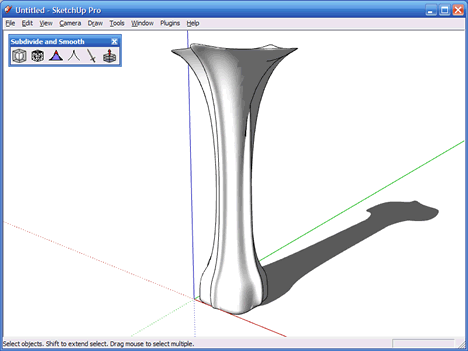
At this time the proxy will be discarded. It's no longer needed.
TIP! If you want to have the ability to work with the proxy at a later stage again, just set it aside as hidden geometry, on a hidden Layer, a storable Component or just leave it somewhere on the side in your scene. You can at a later stage use it as the base for a new proxy, with all the subdivided geometry exactly constructed the same as it is where you leave it off now.
Offset On Surface (OOS)
With the OOS plug-in it is possible to offset a curved surface (multiple connected Faces with their bounding (non-profile) Edges smoothed). It is basically the existing Offset tool from SketchUp, on steroids. It is so powerful that it handles almost any surface, and from basic tests it even functions better on single surfaces than the existing Offset tool, be it somewhat slower though. Sometimes the official Offset tool will create a mess when insetting (opposite of offsetting) a series of connected Edges. OOS does a far better job of handling even these insets.
The OOS plug-in is also written by Fredo.
The next image shows the OOS plug-in used on the top of the vase to create the opening, offset from the outer profile which makes up the top of the vase (the profile was unsmoothed to allow the OOS tool to anker the Edges, as it needs Profile Edges as opposed to hidden Edges to offset or inset a surface). Note: If you described above to 'thicken' the entire vase and basically create an inner or outer shell for it. JPP, like OOS is extremely powerful!